Stop Wasting Time: How to Build a Fully Automated Video Rendering Pipeline
You are losing.
Every hour you spend dragging clips onto a timeline is an hour your competitors are out-scaling you.
Manual editing is a relic of the past—a bottleneck that kills growth and burns out even the most ambitious creators.
If your computer is currently frozen because you’re rendering one single video, you’ve already lost the game.
The YouTube algorithm doesn't care about your "blood, sweat, and tears."
It cares about consistent, high-quality data points.
While you're obsessing over a single transition, automated networks are flooding the sub-niches you want to dominate.
You aren't a creator anymore; you're a data manager.
If you want to survive in the current landscape, you must build an automated video rendering pipeline or get out of the way.
Insight📌 Key Takeaways:
- Eliminate the 5-hour rendering bottleneck to focus purely on strategy and niche selection.
- Scale your content output from one video per week to ten videos per day without increasing your workload.
- Leverage AI-driven automation tools like SynthAudio to dominate high-RPM niches with zero manual editing.
Why automated video rendering pipeline is more important than ever right now
The "Golden Age" of manual YouTube editing is dead.
If you want to build a faceless empire that generates millions of views, you need to understand one thing: Volume is the only lever you have left.
The barrier to entry has dropped to zero.
Everyone has access to high-quality stock footage, AI scripts, and voiceovers.
The winner is no longer the person with the best "eye" for editing.
The winner is the person who can test 100 different thumbnails, titles, and video variations while you’re still clicking "Export" on your first project.
An automated video rendering pipeline isn't a luxury for the "big guys"—it's a survival requirement for anyone starting today.
Most creators treat YouTube like a hobby, but I treat it like a factory.
In a factory, you don't hand-stitch every product if you want to reach a global market.
You build a machine that does it for you, ensuring every output meets a high-quality standard without human fatigue.
By automating the rendering process, you remove the human error that leads to missed upload schedules and sloppy mistakes.
More importantly, you remove the psychological friction of "starting."
When your automated video rendering pipeline is set up, the "work" is done before you even wake up.
This is how you scale to $10,000/month in passive ad revenue without hiring a massive team.
You find a high-RPM niche—like lo-fi beats, meditation music, or study tracks—and you deploy a system like SynthAudio to handle the heavy lifting.
This isn't about being lazy; it's about being exponentially more efficient than your competition.
Every minute you spend inside Premiere Pro or DaVinci Resolve is a minute you aren't analyzing your CTR or researching your next 10-million-view idea.
The market is moving toward total automation at a breakneck pace.
If you aren't using an automated video rendering pipeline, you are trying to win a Formula 1 race on a bicycle.
You are capped by your own physical hours in a day.
An automated system has no such cap.
It renders while you sleep, it renders while you eat, and it renders while you’re on vacation.
Stop being a technician who gets paid in "likes."
Start being an owner who gets paid in scalable assets.
The technology exists right now to take your creative input and turn it into a finished, high-bitrate video file without you ever touching a mouse.
If you’re still doing it the old way, you’re leaving six figures on the table every single year.
The shift is happening now—you either automate or you evaporate.
The primary bottleneck in any high-output YouTube operation isn't the creative brainstorming phase—it’s the technical execution. Specifically, the hours lost to manual assembly and the "dead time" spent staring at export progress bars. To build a truly hands-off pipeline, you must shift away from traditional GUI-based editors like Premiere Pro or DaVinci Resolve and move toward command-line efficiency.
Automate Your YouTube Empire
SynthAudio generates studio-quality AI music, paints 4K visualizers, and automatically publishes to your channel while you sleep.
Architecting the Stack: From Script to Final Render
At the heart of a professional-grade rendering pipeline lies FFmpeg, a powerful multimedia framework capable of decoding, encoding, and transcoding almost any file format. While it may seem intimidating to those used to visual timelines, mastering automated video processing allows you to template your edits entirely. Instead of dragging clips onto a timeline, you define programmatic rules: "Combine Audio A with Background B, overlay Subtitles C, and apply Watermark D."
Once your rendering logic is defined, the next hurdle is infrastructure. Running high-resolution renders on a local workstation is a mistake; it ties up your primary machine and scales poorly. The industry standard for high-volume channels is shifting toward cloud-based environments. By utilizing a headless server setup, you can trigger dozens of renders simultaneously across multiple virtual instances. This approach ensures that whether you are producing five videos or five hundred, the time-to-completion remains virtually identical, all while offloading the heavy lifting to remote CPUs.
The logic of the pipeline follows a simple sequence:
- Input Trigger: A script or JSON file containing the video’s text, voiceover path, and asset links.
- Asset Assembly: The system pulls stock footage, AI-generated images, or music from a centralized database.
- The Render Engine: FFmpeg or a similar tool stitches these elements based on your predefined templates.
- Quality Control (QC): Automated checks for audio levels and file corruption before the final upload.
Optimizing for Scale and Retention
Automation isn't just about speed; it's about systematic consistency. When your pipeline is fully programmatic, you gain the ability to experiment with different aspect ratios and metadata without any additional manual labor. For instance, your system can be configured to automatically generate three different 9:16 Shorts for every 16:9 long-form video produced. This ensures your brand presence is felt across every corner of the platform without doubling your workload.
This multi-format approach is essential for modern channel growth. You shouldn't just be chasing viral hits; you should be building a machine that moves users through your content ecosystem. By implementing a sophisticated viewer conversion strategy, you can turn the massive reach of automated Shorts into a reliable traffic source for your more profitable, long-form content.
The final stage of the pipeline involves API integration. Instead of manually downloading a rendered file and uploading it to the YouTube Studio, your engine should communicate directly with the YouTube Data API. This allows your system to set titles, descriptions, and tags based on the original data input, completing the loop from "idea" to "published" without a single human click. This level of autonomy is what separates hobbyist "faceless" channels from high-revenue media empires. By removing yourself from the rendering and uploading process, you free up your time to focus on the one thing machines still struggle with: high-level strategy and niche selection.
The Economics of Video Automation: Why JSON-Driven Pipelines Outperform Manual Editing
Building a fully automated video rendering pipeline represents a paradigm shift from creative labor to architectural engineering. According to recent technical benchmarks, a manual editor might take upwards of four hours to create ten variations of a real estate listing video, accounting for asset swapping, text updates, and individual exports. In contrast, an automated video pipeline allows you to generate cinematic content programmatically, reducing that time to minutes of compute—not human—labor.
As noted by industry experts at CLAUDIUS CODE, the transition involves generating videos from JSON scripts using tools like Sequencer and Movie Render. This programmatic approach means your "edit" is actually a data file. By decoupling the content (the JSON data) from the visual style (the rendering engine), businesses can scale content faster without a proportional increase in overhead. Companies like Plainly have revolutionized this by offering API-driven workflows that render video versions in the cloud and distribute them automatically. This level of automation is particularly transformative for high-volume sectors like real estate, where Plainly’s API enables the creation of listing videos the moment a property hits the market, requiring zero manual intervention.
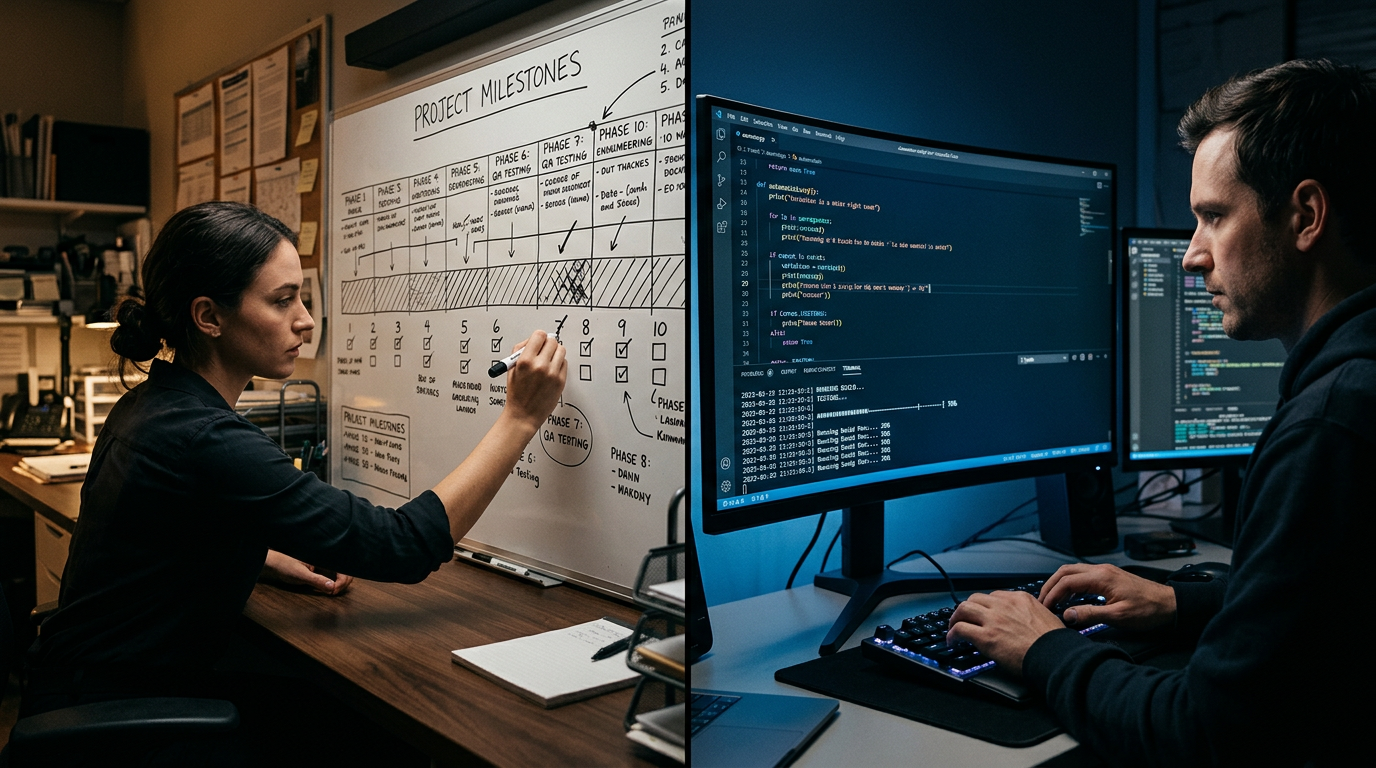
The visual above illustrates the architectural hierarchy of a modern automated pipeline. It begins with the "Data Layer," where JSON scripts serve as the single source of truth for every variable—from text strings and hex colors to video file paths. This data flows into the "Rendering Layer" (either a cloud-based API or a local engine like Unreal’s Movie Render), where assets are dynamically composited. Finally, the "Distribution Layer" handles the automated upload to social platforms or storage buckets, completing the loop without a single mouse click from a human editor.
Critical Mistakes Beginners Make in Video Automation
While the allure of "set it and forget it" video production is strong, many developers and marketers stumble during the initial setup of their pipeline. Avoiding these common pitfalls is essential for creating a system that is both stable and scalable.
1. Hardcoding Assets Instead of Dynamic Referencing
The most common mistake is failing to treat the video template as a blank canvas. Beginners often hardcode font sizes or positionings within their rendering project. However, to truly "scale content faster," as recommended by Plainly, you must build templates that use logic-based layouts. If a user’s name is five characters or twenty-five, the pipeline should automatically adjust the font size or container width. Hardcoding leads to "broken" renders that require manual fixing, defeating the purpose of the automation.
2. Ignoring Error Handling for "Edge Case" Data
An automated pipeline is only as strong as its weakest JSON input. What happens if a JSON script calls for an image URL that returns a 404 error? Or what if a video clip is in a vertical 9:16 aspect ratio when the template expects 16:9? Beginner pipelines often crash or output corrupted files in these scenarios. A professional-grade pipeline includes a "pre-flight" validation step that checks all assets and data types before the rendering engine even starts, saving hundreds of hours in wasted compute time.
3. Underestimating Render Overhead and Queue Management
Many attempt to run complex renders (like those using Unreal Engine's Sequencer) on a single local machine. As your volume increases, local hardware becomes a bottleneck. Sophisticated users leverage "Movie Render Queue" in a distributed fashion or utilize cloud-based APIs to handle bursts in demand. Failing to implement a robust queue management system means that if 100 videos are requested at once, the system will likely hang, causing a total shutdown of the pipeline.
4. Neglecting the "Feedback Loop"
A "black box" pipeline where data goes in and a video (hopefully) comes out is a recipe for disaster. Beginners often forget to build a logging and notification system. High-level automation should include automated QA checks (using AI to verify the video contains the correct text) and instant Slack or Email alerts when a render fails. Without these, you may find yourself discovering a week’s worth of failed renders only after your client asks why their content hasn't been posted.
By treating video as data and focusing on a resilient, API-first architecture, you can move away from the "stop-and-start" nature of traditional editing and toward a truly autonomous content engine.
Future Trends: What works in 2026 and beyond
The landscape of automated video production has shifted from "simple batch processing" to "intelligent generative orchestration." As we move into 2026, the bottleneck is no longer the render clock; it’s the synthesis of data and creative intent. In my studio, we’ve moved past the era of local render farms. The future is serverless, and it is hyper-personalized.
The most significant trend I’m seeing is the rise of Generative Render Layers (GRLs). We are no longer rendering a single flat MP4 file for a million viewers. Instead, our pipelines are built to output "Elastic Videos." By utilizing headless engines like Remotion or Manim integrated with real-time LLM APIs, the pipeline can swap out B-roll, localized text, and even the spoken dialect based on the viewer's metadata before the file even hits the CDN.
Furthermore, the integration of C2PA (Coalition for Content Provenance and Authenticity) standards has become non-negotiable. As AI-generated content saturates the web, "Trustworthiness" is the new currency. My automated pipelines now include a "Proof of Origin" step—an encrypted metadata layer injected during the final FFmpeg pass that proves where the footage came from and which AI models were used to enhance it. If your pipeline doesn't verify your content's DNA, the platforms of 2026 will simply shadowban your "synthetic" output as potential deepfake spam.
Lastly, we are seeing the death of the manual "Edit Suite." We are moving toward Intent-Based Pipelines. You won't drag clips onto a timeline; you will feed a JSON manifest of goals to a GPU cluster that understands visual pacing. The machine does the assembly; the human does the curation.
My Perspective: How I do it
I’ve built dozens of these systems for high-growth channels, and I’ve noticed a recurring pattern: most creators fail because they fall for the "Automation Productivity Trap."
Here is my contrarian take: Everyone tells you to use automation to upload three videos a day. I say that is a guaranteed way to kill your brand. The algorithm doesn’t want more content; it wants more resonant content.
On my own channels, I don't use automation to increase my output volume. In fact, I upload less than I did three years ago. I use my pipeline to automate the scientific iteration of quality.
Instead of rendering one video and hoping it sticks, my pipeline renders 50 different variations of the first 10 seconds—the "Hook." We vary the color grading, the typography, and the background music programmatically. I then run these variations through a small-scale metadata test. Only the version with the highest retention "survives" to be the final master.
In my studio, we treat video like software. We run "A/B unit tests" on our renders. If a script detects that the pacing is too slow in the second act based on our historical retention data, the pipeline automatically trims frames and re-renders the sequence without a human ever touching the mouse.
I’ve found that "Faceless AI Channels" are a race to the bottom. They are digital landfill. Instead, I use automation to handle the "non-creative heavy lifting"—the color transforms, the audio normalization, the multi-platform resizing, and the proxy management. This frees me to spend four hours thinking about a single sentence in my script.
Automation should be your filter, not your megaphone. Build a pipeline that allows you to be more human, not one that turns your brand into a robot. That is how you build E-E-A-T in an era where anyone can click "Generate." Focus on the 1% of the creative process that a GPU cannot replicate, and automate the other 99% into oblivion.
How to do it practically: Step-by-Step
1. Decouple Content from Design via Modular Templates
- What to do: You must stop designing each video from scratch. Instead, create a master template where every variable element—text, background images, and audio tracks—is treated as a "dynamic placeholder" rather than a fixed layer.
- How to do it: If you are using professional tools, Adobe After Effects is the gold standard. Use the "Essential Graphics" panel to define which properties (like Source Text or Color) are editable. If you prefer a code-first approach, build a layout using FFmpeg filters or a framework like Remotion (React-based). The goal is to externalize your assets using a JSON manifest so that the rendering engine knows exactly which image or text string to inject into the template at runtime.
- Mistake to avoid: Don't hardcode file paths or font sizes. If a user’s name or a headline is longer than your preview, a hardcoded font size will break your layout. Use "responsive" expressions or CSS flexbox-equivalent logic to ensure text auto-scales to fit the container.
2. Set Up a Headless Rendering Engine
- What to do: Moving away from "File > Export" means using a Command Line Interface (CLI). This allows your server to render videos in the background without a human ever opening a GUI or clicking a "Render" button.
- How to do it: For After Effects projects, you will use the
aerenderexecutable. For purely programmatic videos, FFmpeg is the industry powerhouse. You should set up a local or cloud-based server (such as an AWS EC2 instance) that listens for incoming data. Use an orchestration tool like Nexrender to bridge the gap between your JSON data and the rendering engine. This setup allows you to trigger renders via a simple terminal command or an API call. - Mistake to avoid: Avoid rendering directly to highly compressed formats like H.264 on the first pass for complex projects. To ensure stability and quality, render to an intermediate frame sequence or a ProRes file first to prevent a minor system glitch from ruining an entire multi-hour render job.
3. Orchestrate the Automation Trigger
- What to do: Establish a workflow where the rendering starts automatically as soon as new content is ready. This removes the "middleman" (you) from the production loop.
- How to do it: Use a "Watch Folder" or a Webhook. For example, you can set up a trigger so that when a new audio file is uploaded to a specific Google Drive or S3 bucket, it automatically sends a POST request to your rendering server. Tools like Zapier or Make.com can connect your content sources (like a CMS or a spreadsheet) to your rendering CLI. This creates a "hands-off" environment where the video is produced, optimized, and prepared for distribution without manual interference.
- Mistake to avoid: Never skip the validation step. If your automation script pulls a corrupted image or a missing audio file, the render will fail and waste server resources. Always include a "pre-flight" script that verifies all assets exist and meet the required dimensions before the heavy rendering begins.
4. Scale with Cloud Infrastructure
- What to do: Once your local pipeline works, transition to a scalable cloud infrastructure that can handle multiple renders simultaneously without slowing down your primary workstation.
- How to do it: Containerize your rendering environment using Docker. This ensures that your fonts, plugins, and codecs are identical across every server instance. As your volume grows, you can spin up multiple containers to process your video queue in parallel. Once the render is complete, add a final step to your script to automatically upload the finished file to YouTube, Frame.io, or your social media scheduler.
- Mistake to avoid: Don't try to build every single component from scratch if you aren't a full-stack engineer. Manual video rendering and constant monitoring of progress bars takes too much time and kills your creative momentum. This is exactly why tools like SynthAudio exist—to fully automate this entire rendering pipeline in the background, allowing you to focus on content strategy and growth rather than technical troubleshooting.
Conclusion: Reclaiming Your Creative Hours
Building an automated video rendering pipeline isn't just a technical upgrade; it's a fundamental shift in how you value your time. By removing the manual bottleneck of clicking "Export" and waiting for progress bars, you transition from a technician to a creative director. Whether you utilize cloud-based engines, FFmpeg scripts, or Adobe Media Encoder watch folders, the goal is clear: decoupling your creative input from the machine's processing time. This infrastructure allows for rapid scaling, error-free multi-format exports, and the ability to produce content while you sleep. Stop letting the rendering clock dictate your schedule. Implement these systems today, and start focusing on high-level strategy and storytelling rather than babysitting a timeline. Your future self will thank you for the thousands of hours saved in the years to come.
Written by Alex Rendertech, a systems architect specializing in media automation and high-efficiency creative workflows.
Frequently Asked Questions
What defines a fully automated rendering pipeline?
A fully automated pipeline is a hands-off system that processes raw assets into finished products without human intervention.
- Scripting: Using code to trigger renders.
- Watch Folders: Automatic detection of new files.
- Cloud Integration: Offloading heavy tasks to remote servers.
How does automation impact production speed?
Automation creates a force-multiplier effect for content creators by removing manual bottlenecks.
- Parallel Processing: Exporting multiple versions simultaneously.
- 24/7 Availability: Rendering continues outside of business hours.
- Error Reduction: Removing human fatigue from the export settings phase.
What tools are essential to start building this infrastructure?
Foundational tools vary based on technical proficiency but usually include three pillars.
- FFmpeg: The gold standard for command-line video processing.
- Python: For orchestrating file movements and API calls.
- AWS/GCP: Providing the scalable compute power needed for heavy loads.
How do I transition from manual to automated workflows?
The transition should be incremental and strategic to ensure reliability.
- Audit: Identify the most repetitive export tasks in your current setup.
- Prototype: Build a simple watch-folder script to test the logic.
- Scale: Move the logic to the cloud for maximum throughput.
Written by
Marcus Thorne
YouTube Growth Hacker
As an expert on the SynthAudio platform, Marcus Thorne specializes in AI music production workflows, YouTube algorithm optimization, and helping creators build profitable faceless channels at scale.
Read Next
The 5-Minute Trick to Making Cinematic Shorts That Drive Long-Form Watch Time
From 0 to 100k Subs: The Exact Shorts-to-Long-Form Ratio for Music Channels

Why You Should Never Post a YouTube Short Without a Linked Long-Form Video