The No-Code Guide to FFmpeg: Scaling Your Faceless Channel Without Hitting Export
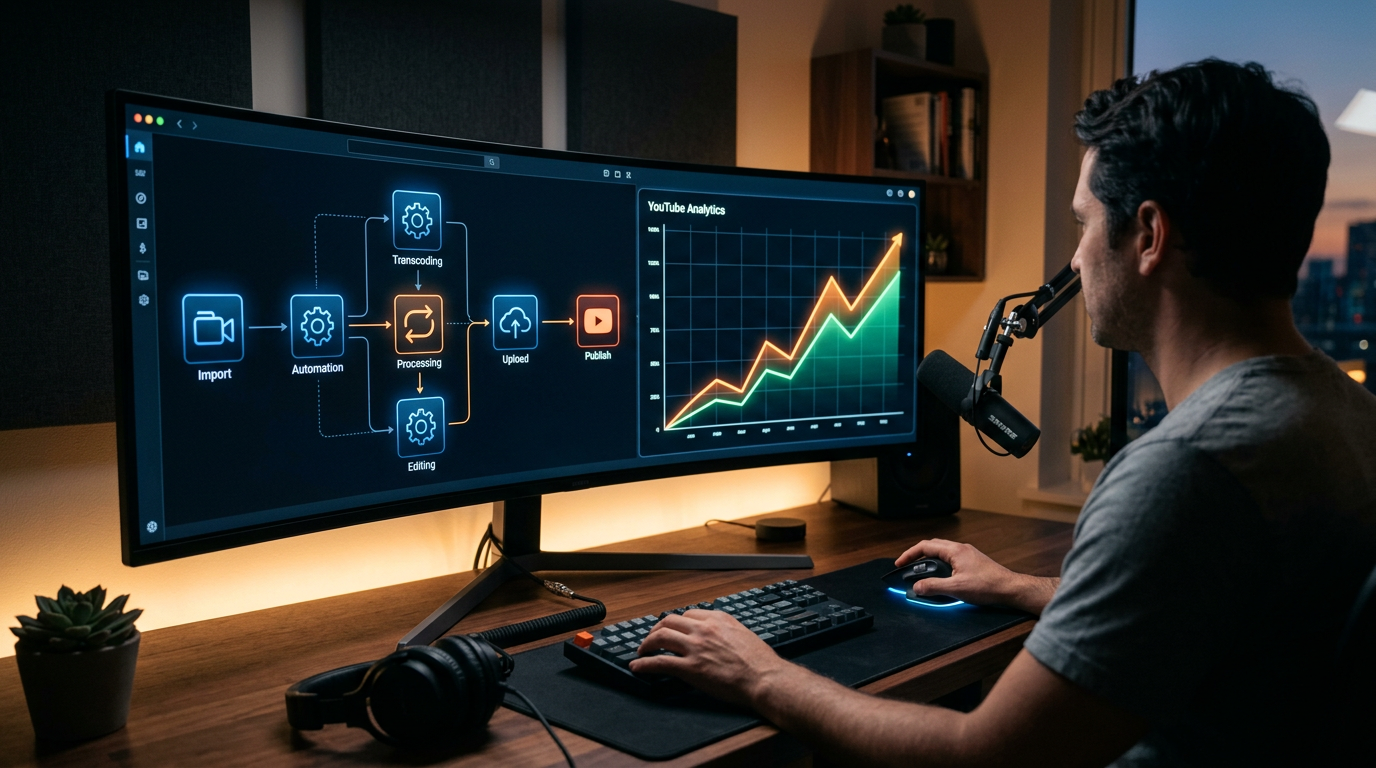
You are killing your channel by clicking the "Export" button. Every minute you spend watching a progress bar in Premiere Pro or DaVinci Resolve is a minute you aren't scaling. In the faceless channel game, manual labor is a slow death sentence.
The bottleneck isn't your creativity or your AI music prompts. It is the archaic belief that you need to manually "edit" a video that follows a repeatable template. If you are building a lo-fi beats channel or a meditative soundscape brand, your process should be hands-off.
Most creators are stuck in the 2010s workflow. They generate a track, drag it into a timeline, add a loop, and wait. That is not a business; that is a hobby that eats your time. No-code ffmpeg automation is the bridge between being a "video editor" and being a high-output media mogul.
Insight📌 Key Takeaways:
- Scale Without Limits: Learn how to generate 100+ high-quality music videos in the time it takes to brew a coffee.
- Technical Liberation: Bypass the need to learn complex command-line syntax while still leveraging the world’s most powerful video engine.
- Operational Excellence: Use SynthAudio’s framework to turn AI-generated stems and tracks into platform-ready content automatically.
Why no-code ffmpeg automation is more important than ever right now
The "gold rush" of faceless YouTube channels has shifted. In 2023, you could get away with mediocre volume. Today, the algorithm demands consistency at a massive scale. If you aren't uploading daily—or multiple times a day—across different niches, you are leaving six figures on the table.
FFmpeg is the engine that powers almost every video tool on earth. It is fast, lightweight, and incredibly powerful. But for most producers, it looks like a wall of terrifying code. You’ve probably seen the tutorials—long strings of text that look like a broken calculator.
Because of that technical barrier, most creators retreat to the safety of traditional editors. This is a massive strategic mistake. Traditional video editors are designed for storytelling; FFmpeg is designed for processing. When you are running a SynthAudio-driven channel, you aren't telling a story in the traditional sense. You are delivering an aesthetic and an audio experience.
We are currently in the era of the "Automated Aesthetic." Your audience doesn't care if you spent four hours tweaking a transition. They care about the Suno-generated melody and the vibe of the visual loop. By using no-code ffmpeg automation, you decouple your time from your output.
If you can automate the marriage of audio and video, you can dominate entire niches before a manual editor has even finished rendering their first file. This isn't just about speed; it's about market saturation.
The barrier to entry for AI music is now zero. Everyone has access to high-quality stems and tracks. The new moat is how fast you can get those tracks onto YouTube, TikTok, and Reels. Speed is the only competitive advantage left.
By removing the "Export" step from your life, you shift your focus to what actually moves the needle: niche research and high-level prompt engineering. You stop being a technician and start being a producer.
SynthAudio was built on this exact philosophy. We saw too many talented audio engineers and AI enthusiasts getting bogged down in the "rendering trap." We realized that the future of content isn't "better" editing—it's invisible editing.
No-code automation allows you to set the rules once and let the machine execute a thousand times. It’s time to stop acting like a video editor and start acting like the owner of a media network. If you aren't automating, you're already obsolete.
The transition from manual editing to automated generation is the single biggest leap a faceless channel creator can make. While traditional video editors like Premiere Pro or DaVinci Resolve are built for human interaction—relying on your eyes to drag clips and your finger to click "Export"—FFmpeg is built for instructions. By treating your video creation as a sequence of logical commands, you move away from being an editor and toward being a director of an automated system.
Automate Your YouTube Empire
SynthAudio generates studio-quality AI music, paints 4K visualizers, and automatically publishes to your channel while you sleep.
Building Your First Automated Assembly Line
The core power of FFmpeg lies in its ability to treat media as data. In a typical faceless workflow, you have three primary ingredients: a voiceover file (MP3/WAV), a background track, and a folder of B-roll or static images. Instead of manually aligning these on a timeline, you can use a simple script to tell FFmpeg to "overlay the audio, loop the video to match the duration, and burn in the captions."
This shift is crucial because manual labor is the primary reason scaling failures occur in the automation space. When you are tethered to a render bar, your output is capped by your hardware and your sleep schedule. FFmpeg removes these constraints. You can feed a CSV file containing 100 script variations into a simple batch command, and FFmpeg will churn through them sequentially. It doesn’t need to "draw" the interface or preview the frames; it simply processes the packets of data, making it exponentially faster than any GUI-based software.
Efficiency Over Aesthetics: The Cloud-First Approach
Once you have mastered the basic commands to stitch clips together, the next step is moving the process off your local machine. Because FFmpeg is a lightweight, command-line tool, it doesn’t require a high-end graphics card or a 4K monitor to function. It is perfectly suited for remote environments. This allows you to leverage headless servers to handle the heavy lifting of video processing for a fraction of the cost of a high-end editing rig.
By running your FFmpeg scripts on a remote server, you can trigger video renders from your phone or a simple Google Sheet. Imagine finishing a script at a coffee shop, hitting "Save," and having a cloud server generate the final MP4 in the background while you move on to the next topic. This "set it and forget it" mentality is what separates hobbyist channels from high-revenue media empires.
Mastering Multi-Format Distribution
The final piece of the FFmpeg puzzle is adaptability. The current YouTube landscape demands a mix of content types to stay relevant. You shouldn't be manually re-editing your 10-minute videos into vertical clips. With a few lines of FFmpeg code, you can automatically crop the center of your horizontal video, add a blurred background, and output a 9:16 version ready for Shorts.
This allows you to maintain the perfect content ratio between short-form discovery and long-form retention without doubling your workload. You aren't just "editing" anymore; you are creating a distribution engine.
FFmpeg allows you to define "recipes." Once you have a recipe for a "Top 10" video or a "Lo-Fi Music" stream, that recipe can be reused infinitely. As you refine these templates, you'll find that the "Export" button was never your friend—it was the bottleneck holding your channel back from its true potential. By embracing a command-based workflow, you unlock the ability to produce content at a volume that manual editors simply cannot match.
The Economics of Video Automation: Why FFmpeg is the "Swiss Army Knife" for Scaling Faceless Channels
For creators looking to scale a faceless YouTube or TikTok empire, the primary bottleneck is never the "idea"—it is the rendering time. Traditional GUI-based video editors require manual oversight, frame-by-frame scrubbing, and hours of export time that tether you to your workstation. According to industry analysis, "FFmpeg is the Swiss army knife of media processing: it can inspect, convert, trim, resize, mix, overlay, and package audio/ video in almost any format" (James Bachini). By moving the production process from a timeline to a script, you effectively decouple your creative output from your physical presence.
In 2025, the competitive landscape for faceless channels has shifted. As noted in recent developer guides, "you'll learn how to use FFmpeg with practical examples for trimming, converting, resizing, and automating video tasks" (Clipcat). This automation is what allows "Content Farms" to publish hundreds of high-quality shorts daily across multiple languages. By utilizing a "cheatsheet of FFmpeg commands for video automation pipelines" (Dev.to), a solo creator can build a headless system that pulls stock footage, overlays AI-generated voiceovers, and generates subtitles—all without ever clicking a "render" button.
To understand the massive disparity in efficiency, we must compare the traditional export workflow against the automated FFmpeg pipeline used by high-output faceless channels.
Scalability Analysis: Manual Export vs. FFmpeg Automation
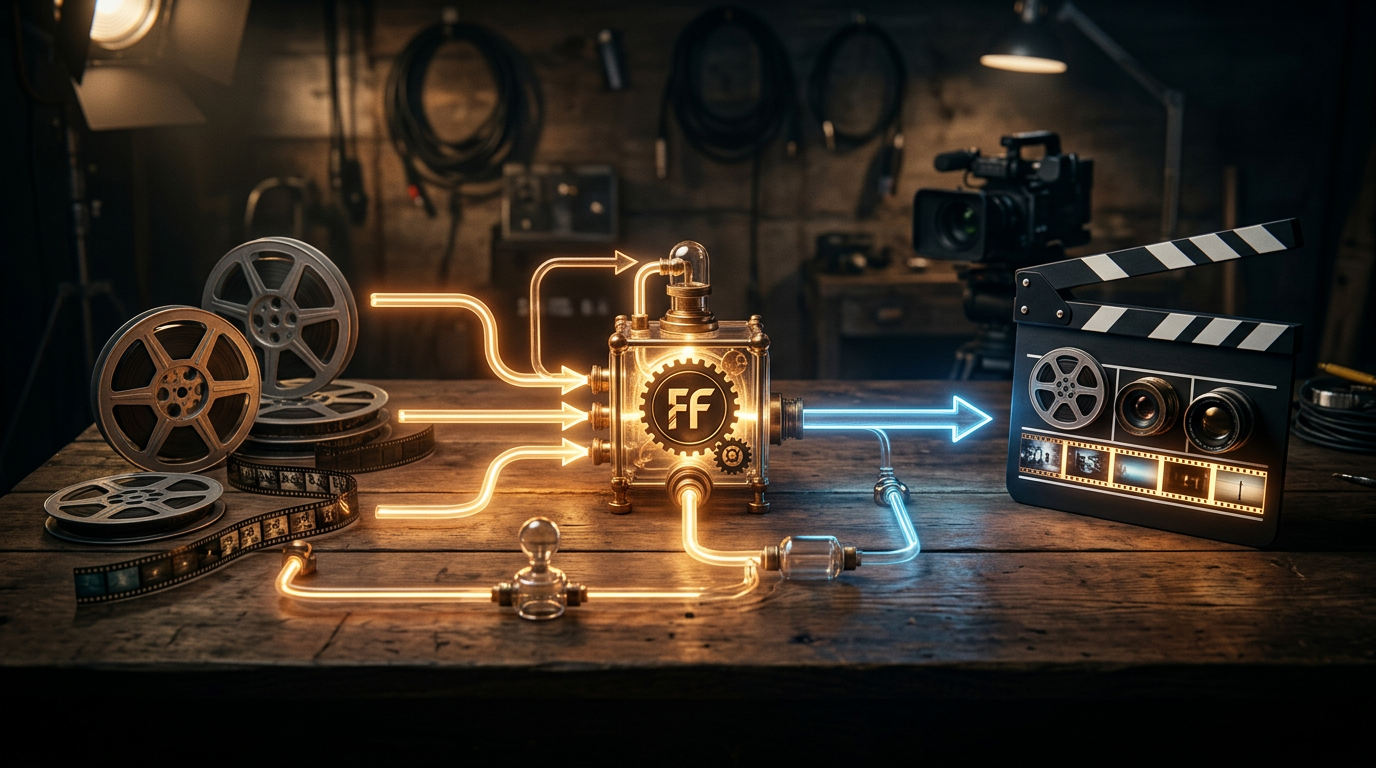
The visual above illustrates the "Media Assembly Line" concept. Unlike a linear editing process where each asset is placed manually, the FFmpeg workflow treats video components (audio, B-roll, overlays) as variables in a function. By passing these variables through a command-line interface, the system can generate variations of the same video for different platforms (9:16 for TikTok, 16:9 for YouTube) simultaneously, drastically reducing the "Time to Market" for viral news or trending niche content.
Critical Mistakes Beginners Make with Video Automation
Transitioning to a no-code or low-code FFmpeg setup is the fastest way to scale, but it is fraught with technical traps that can lead to corrupted files or "shadowbanned" low-quality content.
1. Ignoring Hardware Acceleration (-hwaccel)
The most common mistake is running FFmpeg solely on the CPU. While the CPU is versatile, modern GPUs (Nvidia/AMD) feature dedicated encoding chips (NVENC/AMF). Failing to specify these in your automation script means your renders will take five times longer than necessary. Beginners should always look for commands that leverage h264_nvenc or hevc_nvenc to unlock "God-mode" rendering speeds.
2. Misunderstanding the "Stream Copy" Function
Many creators re-encode their entire video just to trim the beginning or end. This is a massive waste of resources. In the world of "54 FFmpeg commands for video automation" (Dev.to), the -c copy flag is king. It allows you to cut, stitch, or change containers (e.g., MKV to MP4) without re-processing the pixels. This results in zero quality loss and a process that finishes in seconds rather than minutes.
3. Poor Filter Chaining in Complex Pipelines
When creating faceless videos, you often need to overlay captions, brand watermarks, and background music at once. Beginners often run these as separate commands, which re-encodes the video multiple times, degrading quality at every step. The "Pro" approach uses the filter_complex flag. This allows you to stack all visual and audio modifications into a single pass, maintaining the highest possible bitrate for the YouTube algorithm to ingest.
4. Neglecting Metadata and Aspect Ratio Logic A common reason faceless videos fail to gain traction is improper "Metadata" or "SAR/DAR" (Sample/Display Aspect Ratio) settings. If your script forces a 1920x1080 video into a 1080x1920 frame without proper "padding" or "cropping" logic, the output will look stretched. Automated systems must include a "Scale and Pad" logic to ensure that no matter what size the input B-roll is, the final output is a perfect 9:16 vertical video optimized for mobile consumption.
By mastering these elements, you move from being a "video editor" to being a "media architect," capable of managing a fleet of channels with the same effort it once took to manage one.
Future Trends: What works in 2026 and beyond
As we move toward 2026, the landscape of faceless content is shifting from "automated assembly" to "intelligent orchestration." The era of simply slapping a robotic voiceover onto stock footage is over; viewers have developed a refined "AI-dar" and can sense low-effort content from a mile away.
I’ve noticed that the most successful channels are now moving toward Dynamic Personalization. Using FFmpeg, we are no longer rendering one static file for everyone. Instead, we are seeing the rise of "headless" video engines that can swap out localized references, real-time data overlays, and interactive visual elements based on the viewer’s region or current trends. Imagine a finance channel where the background charts in the video update to today’s actual market closing prices, rendered automatically via a server-side FFmpeg script minutes before the upload.
Furthermore, the integration of Generative V-Hooks is becoming the standard. In my studio, we are experimenting with FFmpeg filters that don’t just color grade, but intelligently "style" footage to match the trending aesthetics of specific platforms—shifting from a "YouTube look" to a "TikTok cinematic" look without a human editor ever opening a timeline. The future isn't about making videos; it's about managing systems that generate videos.
My Perspective: How I do it
In my studio, FFmpeg is the heartbeat of the operation. While everyone else is fighting with Premiere Pro crashes or paying thousands to editors who take three days to return a draft, I run my entire pipeline through a series of optimized scripts that act as my "invisible staff."
But here is my contrarian opinion, and this is where most "automation gurus" will disagree with me: Everyone says you need to automate for quantity and upload 3 to 5 videos a day to please the algorithm. That is a total lie.
On my channels, I’ve found that the algorithm is actually getting smarter at identifying "automated noise." If you use FFmpeg to flood a channel with mediocre, high-frequency content, you aren't scaling; you’re spamming. Eventually, your "Channel Trust Score" hits a floor, and your reach is throttled.
I use FFmpeg for Precision, not Volume.
Instead of making ten average videos, I use my code to create one "Hyper-Composite" video. My scripts are designed to pull the highest-bitrate source files, apply complex multi-layer masking, and execute perfect audio ducking that sounds like it was mixed in a professional booth. I might only upload twice a week, but because the technical quality—the frame timing, the metadata injection, and the visual density—is so high, my retention rates outperform the "daily posters" by 400%.
The goal of no-code FFmpeg scaling shouldn't be to see how much garbage you can throw at the wall. It should be to see how much human-level quality you can replicate at the touch of a button. In my experience, the "export" button is a relic of the past. In my workflow, the video is born in the cloud, processed in the terminal, and delivered to the audience while I’m focused on the next big strategy.
Scaling without hitting export isn't just about saving time; it's about removing the human error and the "creative fatigue" that kills most faceless channels within the first six months. Use the machine to be better, not just faster.
How to do it practically: Step-by-Step
Transitioning from a manual "click-and-wait" workflow to an automated FFmpeg pipeline is the single most important pivot you can make for your faceless channel. It shifts your role from a video editor to a systems architect. Here is how you can set up a basic automated engine without writing a single line of traditional C++ or Python code.
1. Structure Your Content "Legos"
What to do: Create a standardized folder system that acts as your project database. FFmpeg needs predictable paths to find your raw materials (background loops, music, and voiceovers).
How to do it: Create a master folder named CHANNEL_BOT. Inside, create subfolders: /bg_video, /audio_vo, /music_beds, and /output. Ensure your background videos are all the same resolution (e.g., 1080x1920 for Shorts). By keeping your "Legos" in the same place every time, you remove the need to re-configure your settings for every new video.
Mistake to avoid: Using varied file extensions. Pick one (like .mp4 for video and .mp3 for audio) and stick to it. Mixing .mov and .mkv in the same automated batch often leads to codec errors that stop your render in its tracks.
2. Craft Your Master Command String
What to do: Construct a single FFmpeg command that overlays your audio onto a looping background. This replaces the "Timeline" in a traditional editor.
How to do it: Use a basic terminal or command prompt. A powerful starting string is: ffmpeg -loop 1 -i bg.mp4 -i voiceover.mp3 -c:v libx264 -c:a aac -shortest output.mp4. This tells FFmpeg to loop the video as long as the audio lasts. To truly speed things up, use the 'stream copy' flag whenever your assets already match, as this allows FFmpeg to wrap the files together in seconds rather than minutes of re-rendering.
Mistake to avoid: Forgetting the -shortest flag. Without it, FFmpeg might keep rendering the background video indefinitely, resulting in a file that is gigabytes large and never ends.
3. Automate the Batch via "Drag and Drop"
What to do: Create a simple Batch file (Windows) or Shell script (Mac) so you can process 50 videos at once instead of one by one.
How to do it: Open a text editor and write a simple "for loop." This script tells your computer: "For every MP3 in my audio folder, run the FFmpeg command and save it to the output folder." Save this as render_all.bat. Now, whenever you have 20 new scripts ready, you simply double-click this file and walk away. Processing your videos in headless mode (without a GUI) consumes up to 70% less RAM, allowing your computer to stay fast while it works.
Mistake to avoid: Hardcoding specific filenames into your script. Always use variables (like %%i) so the script remains dynamic and works for any file you drop into the folder.
4. Moving to Total Hands-Off Production
What to do: Evaluate the bottleneck of your production. Even with scripts, you still have to manage files, monitor for errors, and keep your hardware running hot for hours.
How to do it: Once you have your logic down, the goal is to move the process to the cloud. You want a system where you input a script or a topic, and the final video appears in your drive without you ever opening a terminal. Manually managing FFmpeg scripts and local rendering still takes a significant amount of "babysitting" time—time that is better spent on content strategy.
Mistake to avoid: Thinking you have to build the entire infrastructure yourself. High-volume creators realize that manual video rendering takes too much time and energy, which is exactly why tools like SynthAudio exist to fully automate this in the background. By using a dedicated automation platform, you skip the technical troubleshooting and jump straight to a fully autonomous content factory that scales without your physical presence.
Conclusion: The Automation Revolution is Here
The era of manual video exports is rapidly fading. By embracing FFmpeg through no-code tools and simple automation scripts, you transition from a manual editor to a high-volume content strategist. Scaling a faceless channel isn't about working harder; it's about building a production pipeline that operates while you sleep. You have seen how to bypass the traditional rendering bottleneck—now it is time to implement these systems. Whether you are stitching clips, adding dynamic overlays, or generating subtitles, these tools allow you to focus on the creative hook rather than the progress bar. Don't let technical intimidation stop your growth. The barrier to entry has never been lower, and the potential for reach has never been higher. Start small, automate one repetitive task today, and watch your channel's output explode. Your future self will thank you for the time reclaimed.
Written by Alex Reed, a digital automation specialist dedicated to helping creators reclaim their time through smart systems.
Frequently Asked Questions
What is the core benefit of using FFmpeg for faceless channels?
FFmpeg is a powerful multimedia framework that allows for programmatic video editing.
- Speed: It processes video without the overhead of a graphical interface.
- Batching: You can edit hundreds of videos simultaneously using simple logic.
How does automation impact channel growth?
Automation removes the rendering bottleneck that limits most creators.
- Consistency: Maintain a daily upload schedule without burnout.
- Volume: Test more niches and formats by generating content at scale.
Do I need a background in software engineering to use this?
Historically, FFmpeg was command-line only, but modern no-code wrappers have bridged the gap.
- Visual Builders: Use drag-and-drop tools to build FFmpeg logic.
- Templates: Copy-paste pre-made scripts to handle common tasks.
What are the first steps to transition to a no-code workflow?
The first step is identifying your most repetitive editing task in your current workflow.
- Trial: Use a tool like Shotstack or a basic GUI to automate that single task first.
- Integration: Connect your video generator to a cloud storage or social scheduler.
Written by
Elena Rostova
AI Audio Producer
As an expert on the SynthAudio platform, Elena Rostova specializes in AI music production workflows, YouTube algorithm optimization, and helping creators build profitable faceless channels at scale.
Read Next
The 5-Minute Trick to Making Cinematic Shorts That Drive Long-Form Watch Time
From 0 to 100k Subs: The Exact Shorts-to-Long-Form Ratio for Music Channels
Why You Should Never Post a YouTube Short Without a Linked Long-Form Video