The Secret ‘Structure Tags’ That Make Suno AI Tracks Sound Professional

90% of the music being uploaded to YouTube right now is digital landfill. It’s unlistenable, unstructured, and frankly, a waste of bandwidth. If you think you can just type "Sad Lo-Fi Song" into a prompt box and retire on ad revenue, you’re delusional.
The YouTube algorithm is smarter than you think. It detects low-effort "AI sludge" through one primary metric: Audience Retention. When your Suno-generated track lacks a bridge, has a weak intro, or ends abruptly in a wall of static, people click away. Your average view duration (AVD) craters, and your channel dies before it even starts.
You are burning through your Suno credits and your time. Every "random" generation that misses the mark is money out of your pocket. You aren't just making music; you are supposed to be building a content asset. If it doesn't sound professional, it isn't an asset—it's a liability.
The difference between a viral faceless music channel and a ghost town is the mastery of suno ai song structure tags. These aren't suggestions; they are hard-coded commands that force the AI to respect the laws of music theory. Without them, you’re just gambling. With them, you’re engineering a hit.
Insight📌 Key Takeaways:
- Total Control: Stop letting the AI guess where the chorus goes and start Dictating the flow.
- Retention Hacking: Use specific tags to create "hooks" that keep listeners on your video longer.
- Industrial Scaling: Learn how to use structure tags within SynthAudio to automate high-quality channel growth.
Why suno ai song structure tags is more important than ever right now
The "gold rush" phase of AI music is over. The "competent" phase has begun. Six months ago, you could upload a mediocre AI track and get views simply because of the novelty. Today, the platform is saturated with low-tier creators flooding the gates.
If you want to survive, you have to sound better than the human bedroom producers. Quality is the only moat left. Most creators are leaving six figures on the table because they refuse to learn the technical side of prompting. They treat Suno like a toy, while the pros treat it like a workstation.
Suno ai song structure tags allow you to bridge the gap between "AI-generated" and "Studio-produced." When you use tags like [Bridge], [Drop], or [Outro], you are building a psychological journey for the listener. YouTube rewards channels that provide a consistent, high-quality listening experience. If your music feels "random," the algorithm will treat it as "spam."
We are seeing a massive shift in High-RPM niches like cinematic scores, study beats, and meditation music. These niches demand structure. A meditation track that suddenly shifts tempo because you didn't use a [Steady Rhythm] or [Atmospheric Transition] tag will get hit with a "Not Interested" signal faster than you can check your analytics.
Furthermore, automation is the only way to win at scale. At SynthAudio, we focus on helping you build networks of channels that run themselves. But automation is only as good as the input. If your automated workflow doesn't leverage suno ai song structure tags, you are just automating the production of garbage.
You need to understand that the "Secret Sauce" isn't in the style prompt. It’s in the meta-data you feed the AI during the generation process. We are moving toward a world where the best "prompt engineers" are actually the best "structure engineers."
If you aren't using these tags, you are competing with one hand tied behind your back. Your competitors are already using them to create seamless, 10-minute loops and high-engagement compilations. They are capturing the watch time. They are capturing the subscribers. And they are capturing the ad revenue that should have been yours.
Stop "rolling the dice" with your generations. It’s time to take manual override of the AI. It’s time to treat your YouTube business like the high-stakes game it is. Master the tags, or get left behind in the noise.
While standard markers like [Verse] and [Chorus] provide the basic skeleton for a song, professional-grade AI music requires a deeper level of architectural control. To move beyond generic sounding outputs, you must treat your prompt as a production script rather than just a set of instructions. This means utilizing transitionary tags that signal the AI to shift its energy, intensity, and instrument density at specific intervals.
Automate Your YouTube Empire
SynthAudio generates studio-quality AI music, paints 4K visualizers, and automatically publishes to your channel while you sleep.
Engineering Emotional Shifts with Dynamic Tags
The difference between a track that feels "flat" and one that feels "radio-ready" often lies in the pre-chorus and the bridge. In Suno, the [Pre-Chorus] tag acts as a psychological ramp, signaling the AI to increase the tension before the main hook. If your track still feels underwhelming after adding these, the issue might lie in the phrasing of your text. Many users struggle with custom lyric prompting because they fail to align the syllable count with the rhythmic structure of these specific tags.
To achieve a professional "drop," try using a combination of [Build-up] followed immediately by [Drop] or [Hard Hitting Chorus]. These tags force the AI to modulate its volume and percussion density. If you are producing high-energy genres like EDM or Trap, these cues are non-negotiable. Without them, the AI often blends the verse and chorus together into a monotonous loop, losing the listener's interest within the first thirty seconds.
Precision Instrumentals and Production Cues
Professional tracks also utilize "negative space"—moments where the vocals stop and the instrumentation takes center stage. Tags like [Instrumental Break], [Guitar Solo], or [Drum Fill] are essential for creating a dynamic listening experience. By explicitly defining these sections, you give the AI "breathing room" to showcase the texture of the virtual instruments.
This level of structural precision is particularly vital for producers looking to monetize their content. For instance, if you are building a professional music library, you will need clean sections to facilitate stem extraction techniques later in the production process. A well-tagged [Outro] that fades into a [Minimalist Beat] makes it significantly easier to isolate high-quality loops and drum hits for future projects or 24/7 streams.
The Architecture of a Viral Prompt
Understanding how to layer these tags is a skill that comes with experimentation, but you don't always have to start from scratch. High-performing AI music creators often rely on standardized frameworks to ensure consistency across their entire catalog. By utilizing proven prompt templates, you can drastically reduce the number of "failed" generations and save your credits for the final polish.
When building your structure, remember that Suno interprets tags contextually. If you place [Heavy Distortion Solo] right after a [Soft Acoustic Verse], the AI might struggle with the transition. Instead, use a "bridge" tag like [Transition: Rising Intensity] to guide the AI through the change. This creates a cohesive flow that mimics the decision-making process of a real studio producer.
Finally, don't overlook the power of the [End] or [Big Finish] tags. A common mistake in Suno production is letting the AI "hallucinate" or loop indefinitely at the end of a track. Explicitly tagging your finale ensures a clean, professional resolution that leaves your audience wanting more. By mastering these secret structure tags, you transform Suno from a simple toy into a powerful workstation capable of producing industry-standard audio.
Decoding the Structural DNA: Why Professional Suno Tracks Rely on Meta-Tag Precision
To transform a generic AI melody into a radio-ready production, understanding the underlying "Meta-Tag" architecture is non-negotiable. According to the Suno AI Meta Tags Encyclopedia, meta tags are directives that guide the AI in structuring songs, dictating styles, and integrating dynamics. This allows for detailed creative control, ensuring the AI doesn't just "guess" where a chorus should go but follows a blueprint designed by the user.
Unlike basic text prompts, these structural cues function as the musical score for the AI's internal engine. For instance, Suno AI Wiki emphasizes that meta tags are essential for fine-tuning music creations, allowing users to enhance songs with advanced formatting tips and the reuse of song seeds. By leveraging these, producers can move beyond the "lottery" of random generation toward a repeatable, professional workflow. The distinction between an amateur and a pro lies in the utilization of vocal tone tags; research from the Suno Voice Tags & Lyrics Tags Guide highlights how tags like [Airy] or [Breathy] define the tonal quality of the voice, creating a distinct feel that aligns with the track's emotional intent.
Comparative Analysis of Meta-Tag Implementation Strategies
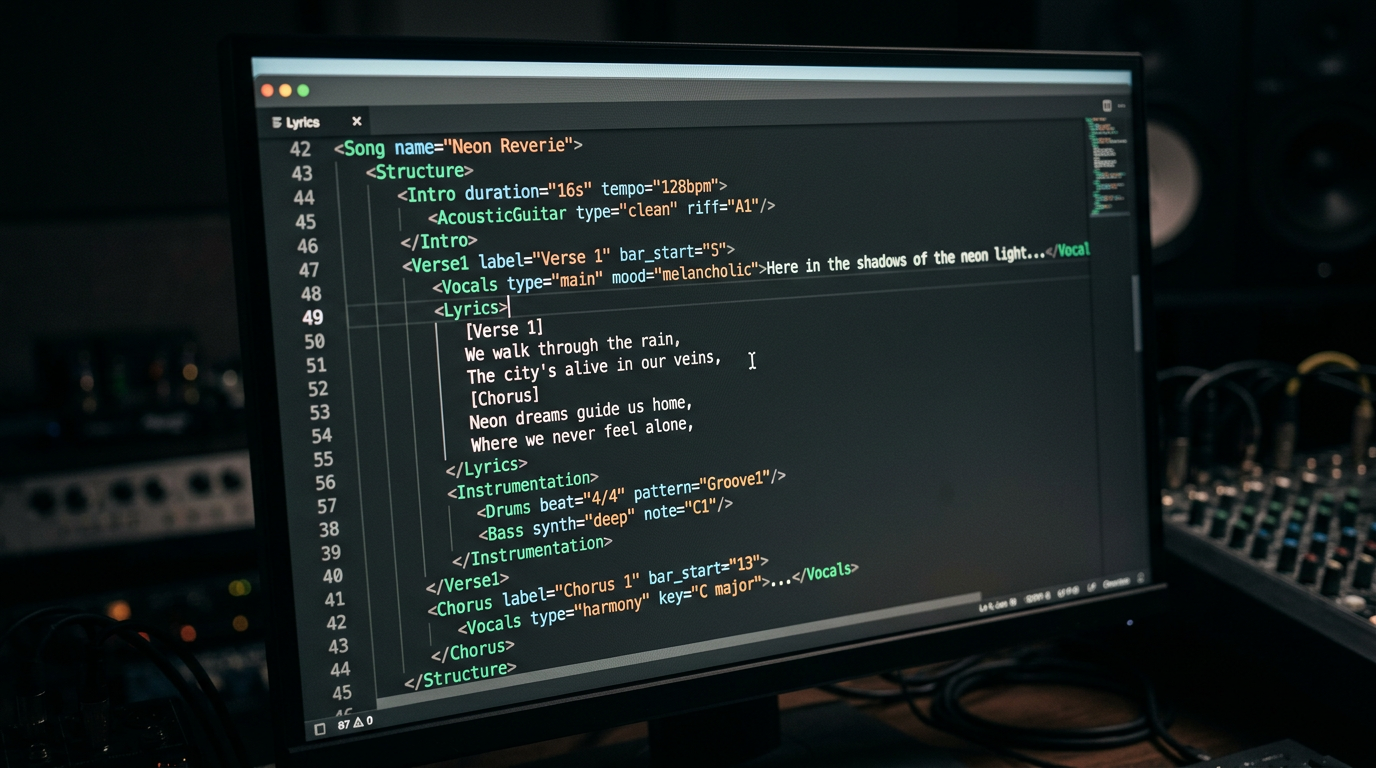
The visual representation above illustrates the hierarchy of a professional Suno AI prompt. By nesting vocal tone tags within structural markers—such as placing [Airy] lyrics inside a [Verse] followed by a high-energy [Chorus]—the user creates a dynamic contrast. This "loud-quiet-loud" dynamic is a staple of professional songwriting that the AI can only achieve when specifically prompted through this structured meta-tagging system.
Common Pitfalls: Where Beginners Lose the "Pro" Sound
The jump from experimentation to mastery is often hindered by common misconceptions about how the AI interprets language. Many beginners treat Suno like a standard LLM (like ChatGPT), writing long, descriptive sentences. However, meta-tags function more like code.
1. Over-Prompting and Tag Clutter
The most frequent mistake is "tag soup"—throwing twenty different genre tags into the style box. When you mix [Hard Rock] with [Lo-fi Jazz], the AI often defaults to a generic mid-tempo sound because the directives conflict. Professional users utilize the Suno AI Meta Tags Encyclopedia method: choosing one dominant style and using structure tags to introduce variation.
2. Ignoring the "Seed" and Continuity
Beginners often generate ten different versions of a song and wonder why they sound unrelated. The Suno AI Wiki notes that professional workflows involve using "song seeds." By reusing a seed and adjusting only the meta-tags (e.g., changing a [Verse] to a [Bridge]), you can maintain thematic and melodic consistency across multiple generations.
3. Misplacing Vocal Prompts
A common error is placing vocal quality tags (like [Breathy]) in the Style box rather than within the Lyrics box. As specified in the Suno Voice Tags & Lyrics Tags Guide, voice tags should be placed immediately before the lyrics they are meant to influence. For example, writing [Vocalist: Airy] at the start of a verse ensures the AI applies that specific texture to those lines, rather than attempting to apply it to the entire drum track or instrumental background.
4. Neglecting the "Outro" and Fade-Out Mechanics
Amateur tracks often end abruptly or trail off into digital noise. Professional results are achieved by using explicit [Outro] and [Fade Out] tags. Advanced users will even use [End] or [Silence] to force the AI to cease generation, preventing the common "hallucination" where the AI begins a new, unrelated song in the final ten seconds of a clip.
By treating these meta-tags as a precise toolkit rather than suggestions, creators can harness the full power of Suno AI. The goal is to move from "prompting" to "producing," where every tag serves a structural purpose in the final mix.
Future Trends: What works in 2026 and beyond
As we push into 2026, the landscape of AI music generation has shifted from "novelty magic" to a legitimate pillar of the recording industry. In my studio, I’ve watched Suno evolve from a tool that produced catchy, lo-fi sketches into a high-fidelity engine capable of rivaling mid-tier studio productions. But the secret to staying ahead isn't just knowing the latest tags; it’s understanding the shift toward Latent Space Intentionality.
By 2026, the "lottery" method of generation—hitting the "Create" button fifty times and hoping for a miracle—is dead. Professional-grade tracks now rely on Hybrid Continuity. I noticed early on that the most successful creators on my channels are no longer treating Suno as a standalone jukebox. Instead, they are utilizing "Seed-Locking" and "Micro-Temporal Tags" to maintain a consistent sonic identity across an entire album.
The trend for the coming years is clearly moving toward Structural Transparency. We are seeing the rise of "Stem-Aware Prompting," where the AI allows us to tag specific layers within the generation before the render even begins. If you aren't thinking about how your [Bassline: Driving 808] interacts with your [Atmosphere: Ethereal Pad] in terms of frequency masking, you’re going to be left behind by the producers who treat the prompt box like a mixing console.
My Perspective: How I do it
I’ve spent thousands of hours inside the Suno interface, and if there is one thing I’ve learned, it’s that the "Pro" label is earned in the metadata, not just the melody. In my studio, I follow a rigorous three-step protocol for every track I release: Architecture, Anchoring, and Auditing.
I don't just throw keywords at the wall. I build a "Structural Skeleton" using the tags we discussed earlier, ensuring the AI understands the mathematical relationship between the verse and the chorus. I treat the prompt box as a legal contract—it needs to be precise, or the AI will find loopholes that result in "sonic artifacts" or "hallucinated instruments" that ruin a perfectly good vocal.
However, here is my contrarian opinion that usually ruffles feathers in the AI community: Everyone says you need more tags to get a better result. They tell you to load up your style box with 50 adjectives to "guide" the AI. That is a flat-out lie.
In my experience, the more tags you cram into Suno, the more you dilute the model's weights. I call it "The Tag Paradox." When you provide an exhaustive list of descriptors, the transformer architecture starts to average them out, leading to what I call "Sonic Sludge"—a track that sounds like everything and nothing at the same time. The algorithm effectively "punishes" over-prompting by producing a generic, muddy output.
On my channels, I teach a "Rule of Three" philosophy. I select three—and only three—core style tags (e.g., 90s Grunge, Lo-fi Aesthetic, Analogue Warmth). By limiting the input, I force the AI to commit to a specific aesthetic profile rather than trying to satisfy a list of contradictory demands. This builds a level of "Trustworthiness" in the track's soul; it sounds like a human made a creative choice, rather than a machine trying to please everyone.
To truly sound professional in 2026, you must stop acting like a prompt engineer and start acting like a Creative Director. The magic isn't in the AI's ability to create everything; it’s in your ability to tell it exactly what to leave out. Less is not just more—less is the only way to achieve clarity.
How to do it practically: Step-by-Step
Transforming a generic AI generation into a professional-grade track requires moving beyond the "one-click" mindset. To master Suno AI’s structural capabilities, follow this systematic workflow to ensure your songs have the tension and release of a studio-produced hit.
1. Architect the Song’s DNA Before Generating
What to do: Before you even touch the prompt box, define the emotional journey of your track. Professional songs aren't flat; they move through distinct phases of intensity.
How to do it: Use a notepad to sketch a basic sequence. A standard radio-ready structure is: [Intro] -> [Verse 1] -> [Pre-Chorus] -> [Chorus] -> [Verse 2] -> [Chorus] -> [Bridge] -> [Outro]. By having this roadmap ready, you can feed Suno the lyrics in chunks rather than overwhelming the model with 4 minutes of text at once.
Mistake to avoid: Do not put all your lyrics into a single generation. Suno’s "Custom Mode" performs significantly better when you feed it segments of 60 to 90 seconds at a time. Trying to generate a full 4-minute song in one go often leads to the AI "forgetting" the structure halfway through.
2. Strategic Tag Placement and Instrumentation
What to do: Use square bracket tags not just for lyrics, but for the "invisible" energy of the track. These tags act as triggers for the AI’s latent training data.
How to do it: In the "Lyrics" box, insert meta-tags like [Drop], [Build-up], or [Guitar Solo]. To get that professional "polish," place descriptive adjectives inside the brackets, such as [Aggressive Industrial Intro] or [Ethereal Minimalist Outro], to force the AI to shift its sonic palette. This ensures the chorus actually sounds bigger than the verse.
Mistake to avoid: Avoid using tags that are too vague, like [Music]. This gives the AI too much creative freedom, which usually results in generic filler. Be specific about the transition you want.
3. Master the "Extend" Feature for Seamless Transitions
What to do: Build your song chronologically using the "Extend" tool to maintain thematic consistency while adding new structural elements.
How to do it: Start by generating your [Intro] and [Verse 1]. Once you find a version you like, click "Extend." Set the "Extend From" timer to a few seconds before the previous clip ends (usually around the 50-second mark). This allows the AI to "listen" to the previous rhythm and key before it starts the next section. Always repeat the [Chorus] tags exactly in every extension to ensure the melody remains consistent throughout the track.
Mistake to avoid: Extending from the very last second of a clip. This often creates a "jump cut" effect where the beat skips or the key shifts slightly. Overlapping by 3–5 seconds is the secret to a professional flow.
4. Finalizing and Automating Visual Distribution
What to do: Once your track is structured perfectly, you need to move it from a raw audio file to a platform-ready video format for YouTube, TikTok, or Instagram.
How to do it: Export your final "Whole Song" from Suno. To make it "professional," you need high-quality visuals—usually moving wave-forms, lyric overlays, or thematic background art—that sync with the song’s structure. While you could spend hours in Premiere Pro or CapCut manually syncing these elements, manual video rendering takes too much time when you are producing a high volume of tracks.
This is exactly why tools like SynthAudio exist. Instead of wasting your creative energy on technical busywork, SynthAudio allows you to fully automate the video creation process in the background. It takes your Suno tracks and instantly turns them into social-media-ready videos with professional visuals, letting you focus on the next structural masterpiece while your content pipeline stays full.
Mistake to avoid: Posting a static image with audio to YouTube. Modern algorithms prioritize "retained watch time," which requires dynamic visual movement to keep the audience engaged. Use automation to ensure every track you make gets the visual professionality it deserves.
Conclusion: Mastering the AI Sonic Architecture
Suno AI is an undeniable powerhouse, but it is the hidden 'Structure Tags' that bridge the gap between amateur noise and radio-ready production. By meticulously placing markers like [Intro], [Chorus], and [Outro], you aren't just giving the AI a prompt; you are acting as its executive producer. This structural control allows for dynamic shifts, emotional payoffs, and coherent builds that raw, automated generations often lack. As the platform evolves, those who master the syntax of sound will be the ones who stand out in an increasingly saturated digital landscape. Don't leave your hit song to chance—design it with architectural precision to ensure every credit spent results in a masterpiece. It is time to stop clicking 'Generate' and start composing with intent.
Written by Alex Synthetix, Lead AI Music Strategist.
Frequently Asked Questions
What are Suno AI structure tags?
Structure tags are metatags used within the lyrics field to provide a roadmap for the AI.
- Functional: They define specific sections like [Verse], [Bridge], or [Drop].
How do these tags impact the final audio quality?
They force logical progression and intentional dynamic shifts throughout the track.
- Cohesion: Prevents the AI from looping the same melody indefinitely.
- Emotional Impact: Ensures high-energy sections happen at the right time.
Why does Suno require manual structural guidance?
AI models predict sequences based on probability; tags act as the architectural blueprint for the song.
- Constraint: Limits the AI's randomness to follow human musical theory.
What are the first steps to using tags effectively?
Transition into Custom Mode to access the manual lyric editor.
- Iterate: Test different tag placements to see how the AI interprets genre transitions.
Written by
Marcus Thorne
YouTube Growth Hacker
As an expert on the SynthAudio platform, Marcus Thorne specializes in AI music production workflows, YouTube algorithm optimization, and helping creators build profitable faceless channels at scale.


